Caravan
Summer camp & carpool, sorted.
Every June, the same puzzle: nine weeks, two kids, a dozen camps, and a group chat full of “wait, who’s driving Thursday?” Caravan turns the whole summer into one shared picture — what each kid is doing every week, who’s handling every drop-off and pick-up, and which friends are headed to the same place so you can split the driving.
Here’s how a summer comes together.
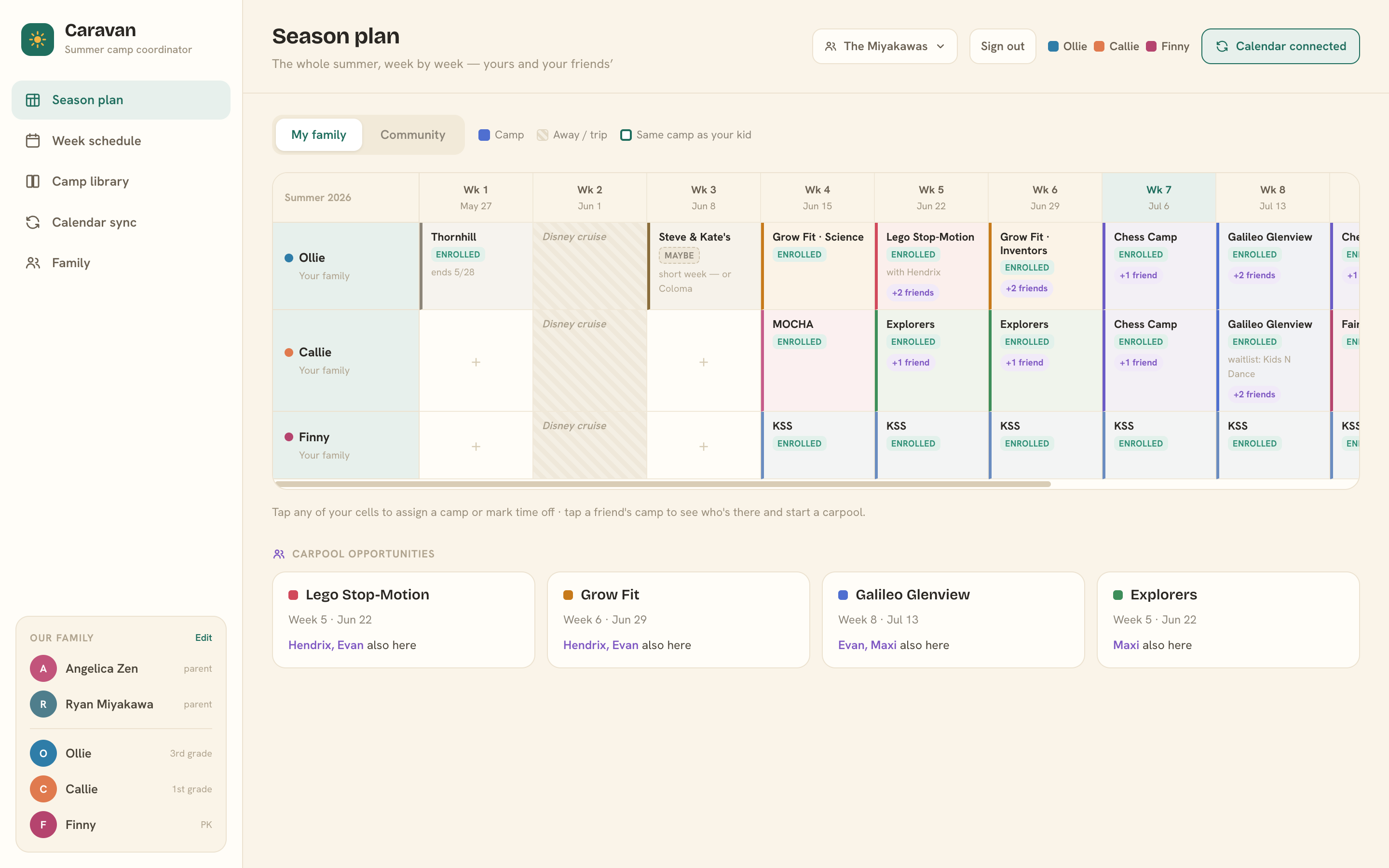
Plan your season
The Season plan is the whole summer on one screen: your kids down the side, twelve weeks across the top. Tap any empty cell and pick a camp — recently used camps are one tap away, or pull from the shared camp library. Not camp that week? Mark it Away / trip, School, or TBD so nothing slips through.
Each camp gets its own color, so gaps and overlaps jump out at a glance. Filled a week you’re happy with? Drag the cell onto another week to repeat it.
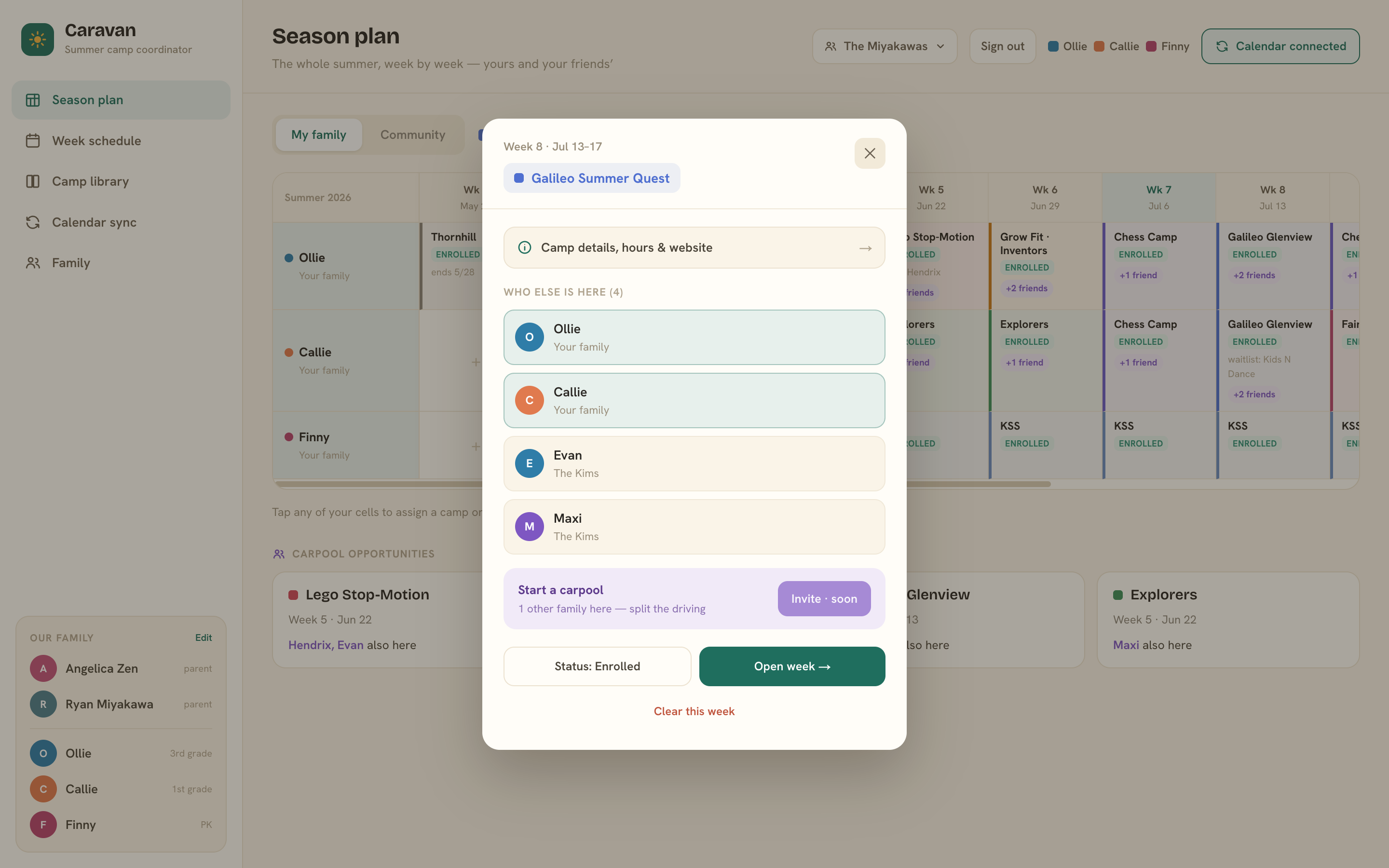
Find carpool opportunities
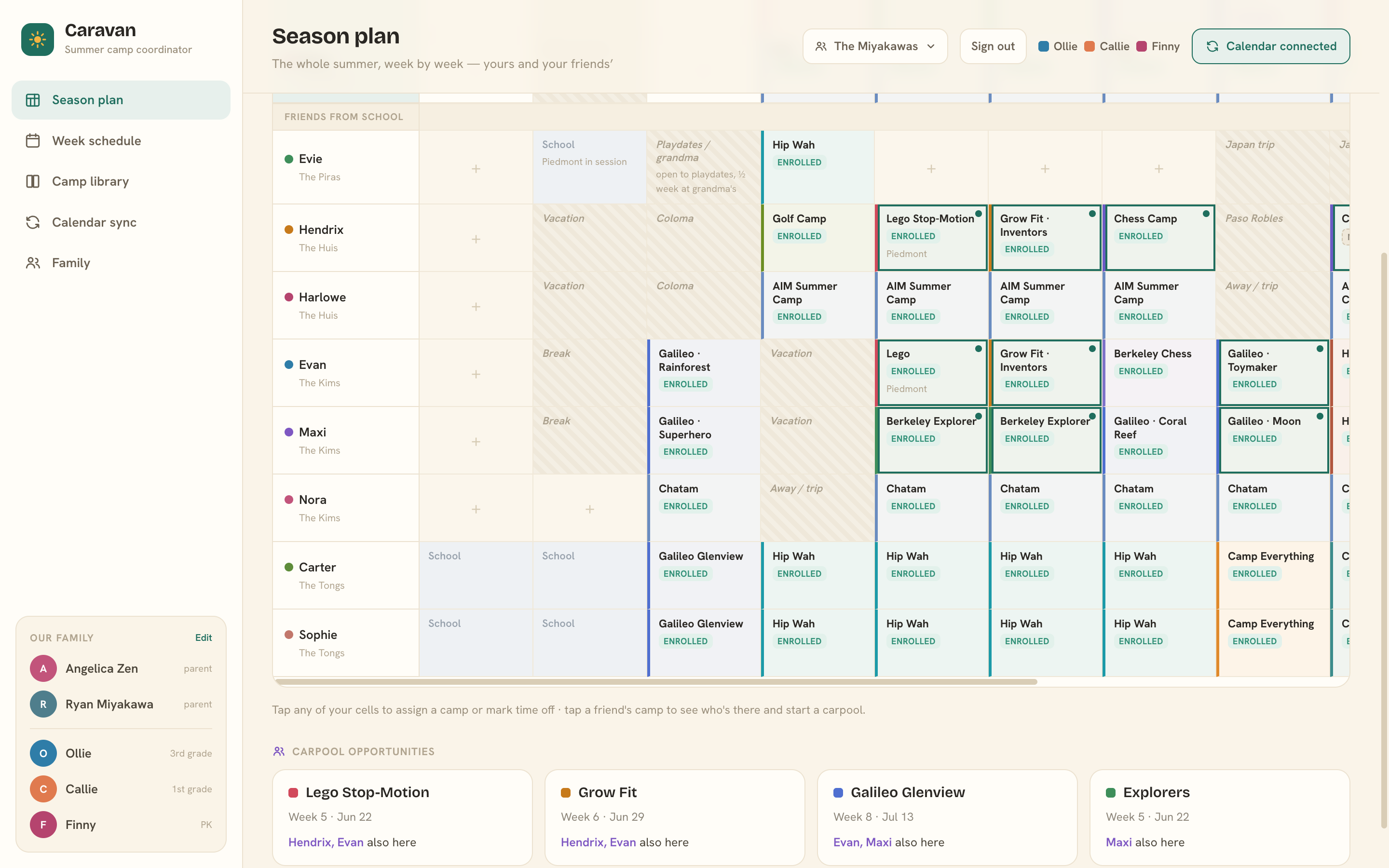
Flip the Season plan to Community and your friends’ summers appear beneath yours. Anywhere a friend’s kid lands at the same camp the same week, Caravan rings the cell and pins a purple +N friends pill on yours — and collects the best matches into Carpool opportunities cards at the bottom of the page.
Tap any friend’s cell to see the full roster — every kid who’ll be there that week — and start planning who drives.
(You see friends’ camps and weeks only — never their schedules or drivers.)
Run your week
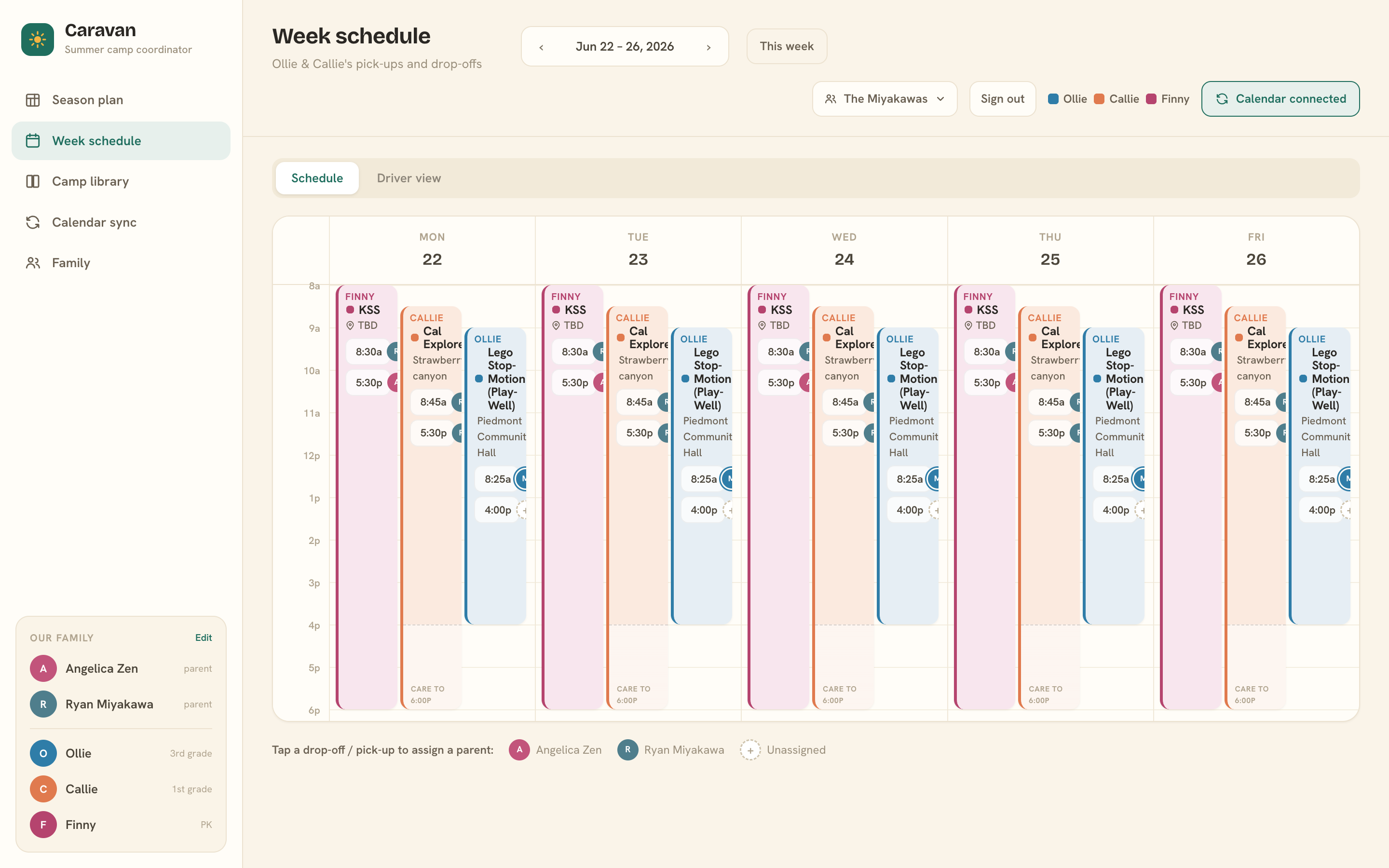
The Week schedule is where the summer gets operational. Every camp sits on a Monday–Friday timetable at its real hours — before- and after-care shown as lighter bands — and every block carries two small rows: one for drop-off, one for pick-up.
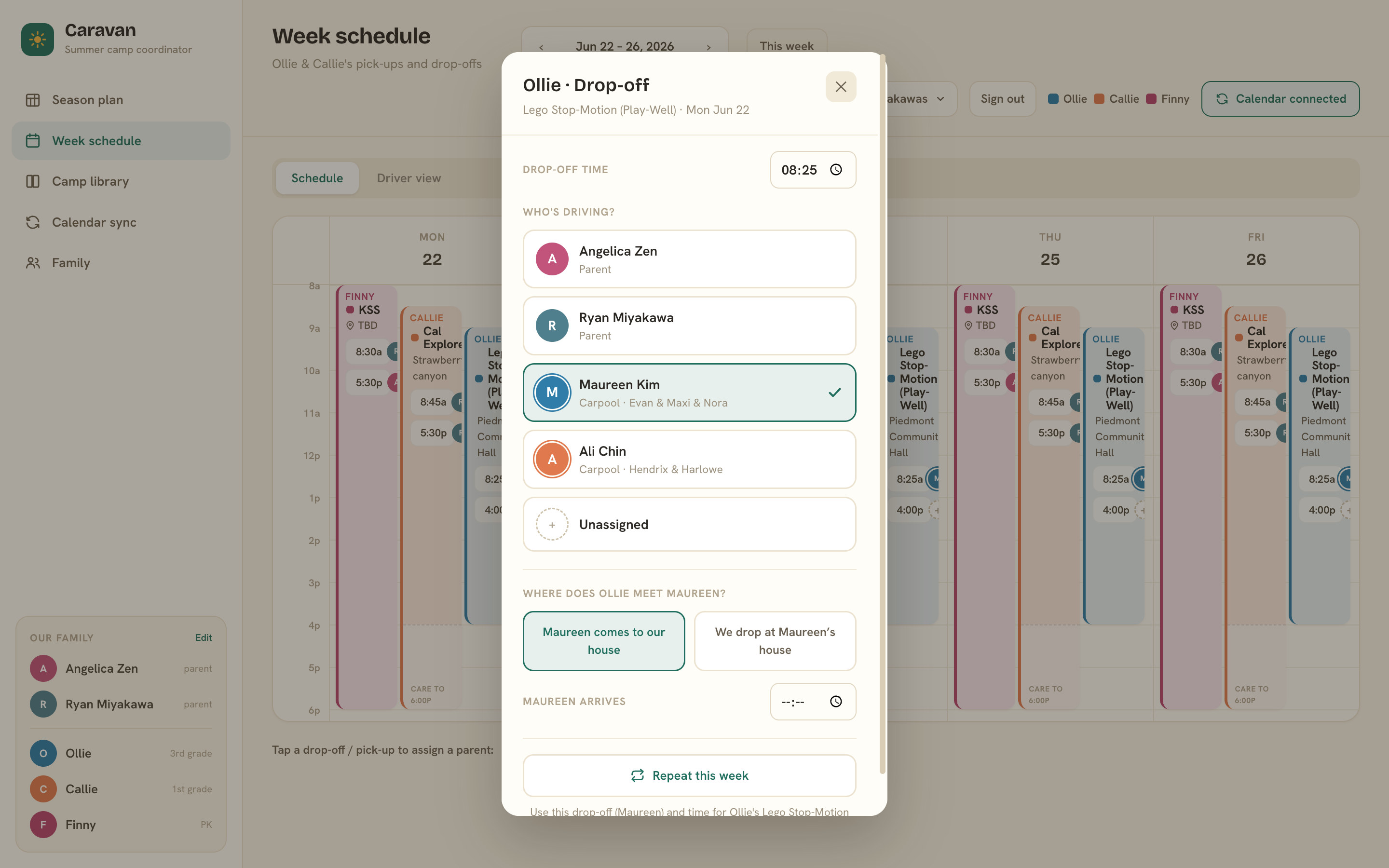
Tap a row, pick who’s driving. That’s the whole gesture. Choose a parent, or a carpool driver from another family — and if it’s a carpool, tell Caravan where the handoff happens: they come to us, or we drop at theirs. Doing the same run all week? One tap on Repeat this week stamps it across every day.
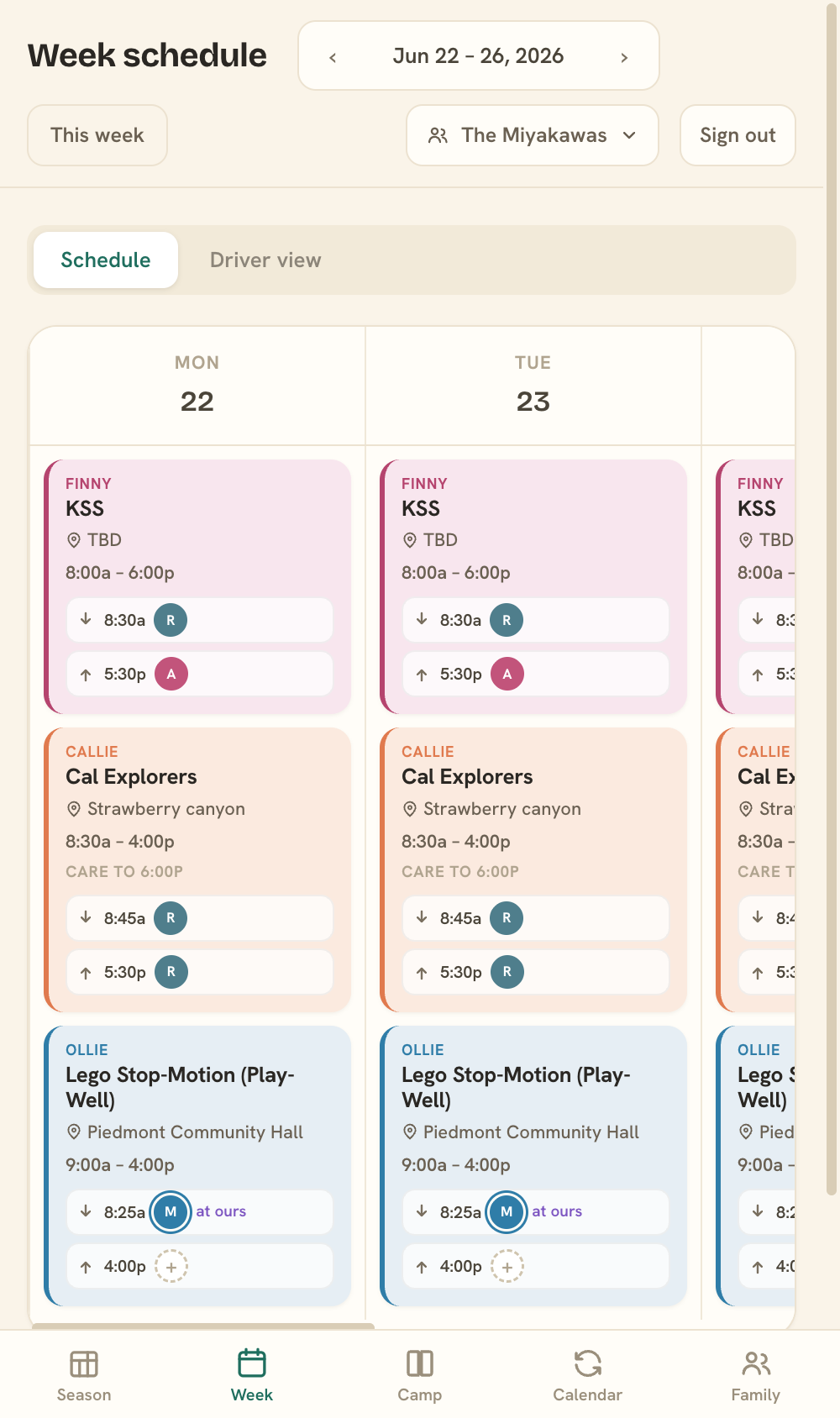
The same week, in your pocket — day by day on your phone.
See who’s driving
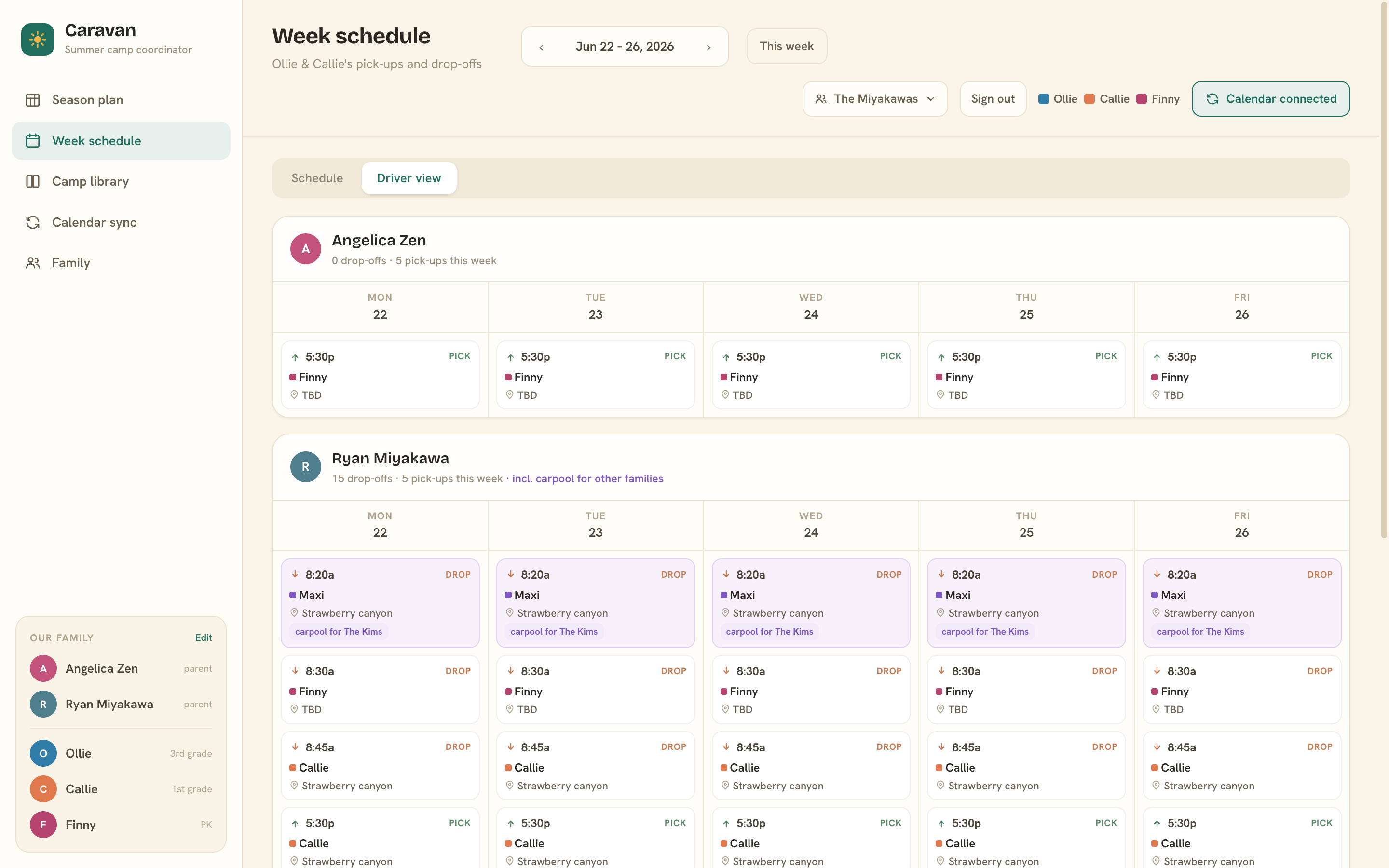
Switch to Driver view and the same week reorganizes around the adults. Each driver gets a card — “3 drop-offs · 2 pick-ups this week” — with a day-by-day itinerary. Kids headed to the same place at the same time collapse into a single stop, and carpool legs you owe other families show up automatically, tagged carpool for the Huis.
Anything still unassigned gets its own card, so the Thursday no one claimed can’t hide.
Sync your calendar
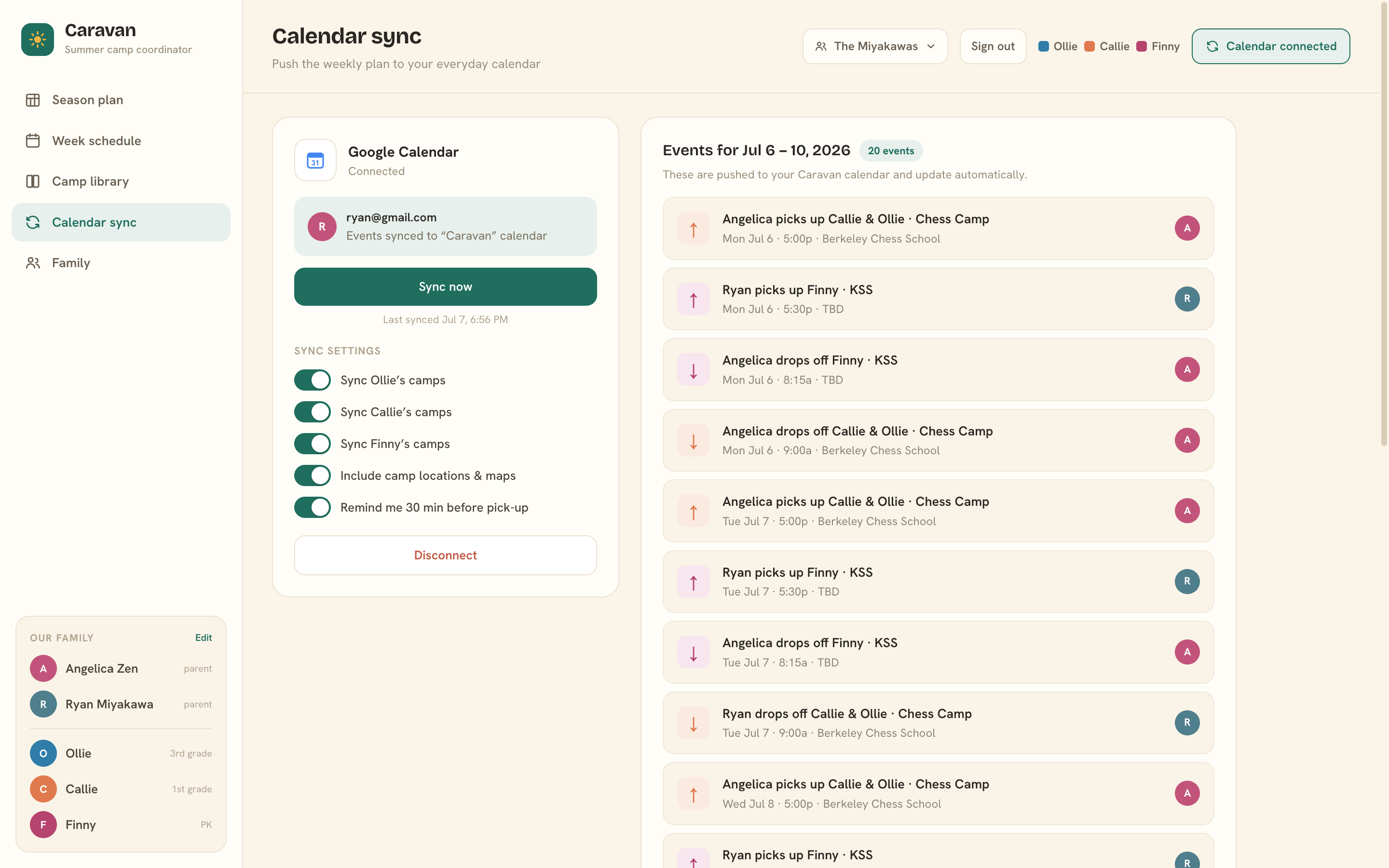
When the week looks right, push it to the calendar you actually live in. Connect Google Calendar once, and Caravan writes every leg to its own “Caravan” calendar — human-readable events like “Dana picks up Callie & Olly · Galileo”, with the camp’s location and a 30-minute heads-up before pick-ups.
Change a driver or a time in Caravan and hit Sync now — events update in place. Nothing duplicates, nothing goes stale.
One summer. One picture. Zero “who’s got pick-up?” texts.
Caravan is in private beta with a small circle of families. Sign in with the Google account your family added — or try it and we’ll save your spot for when it opens up. 🚐
Continue with Google